.EXE INSTALLER
NotePulse for Windows
Bring falling notes, illuminated piano keys, music notation, and creative tools to your Windows desktop.
Download for Windows
Direct EXE download from the official NotePulse website.
See every note come alive. Download NotePulse for Windows or Mac and explore immersive MIDI visualization, interactive sheet music, and Visual Story.
Windows x64 & Apple Silicon macOS installers Seven-day Core + Advanced trial
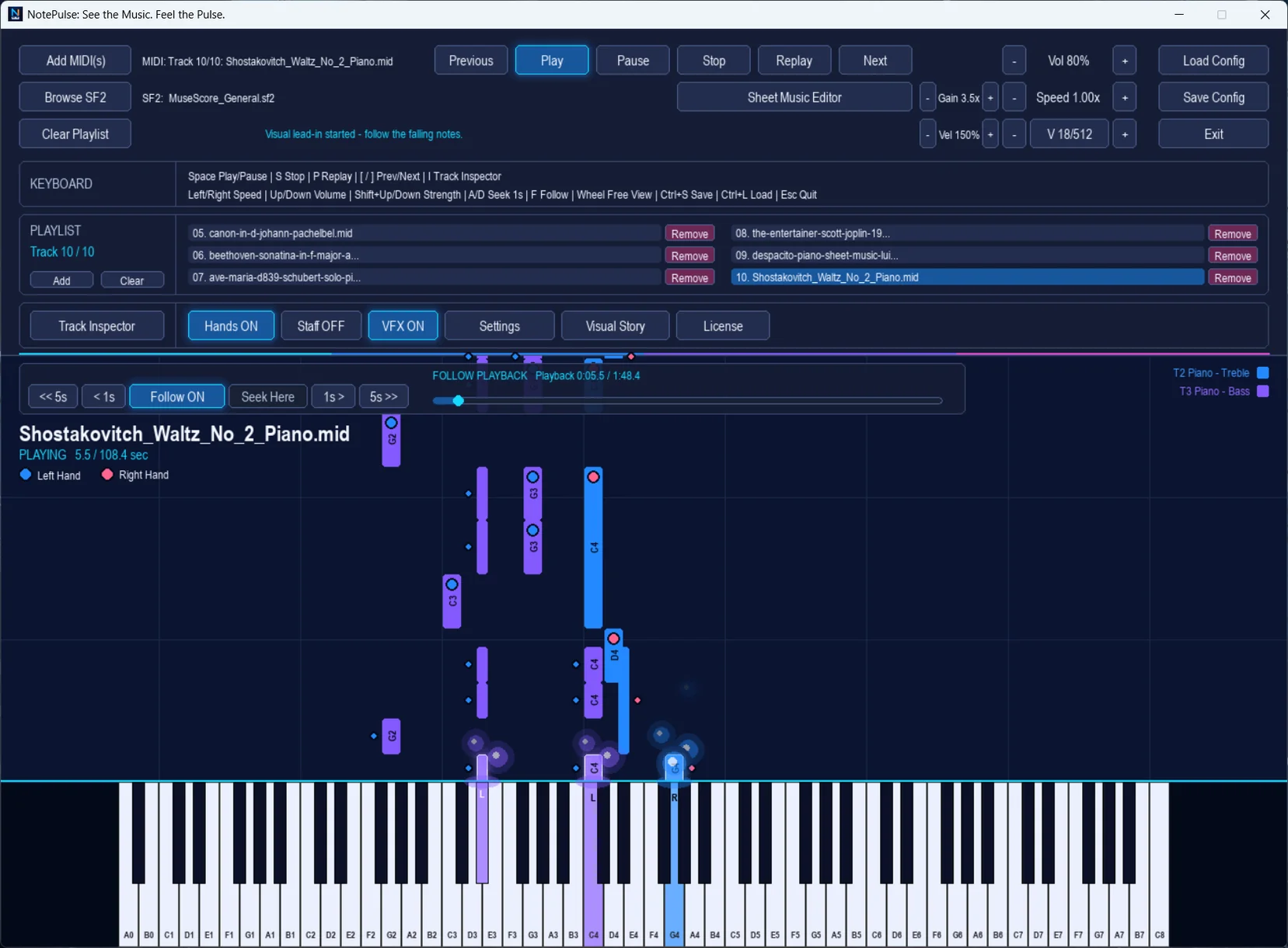
Two desktop platforms. One NotePulse experience. Select the installer for your computer.
Bring falling notes, illuminated piano keys, music notation, and creative tools to your Windows desktop.
Direct EXE download from the official NotePulse website.
Enjoy the same expressive NotePulse desktop workspace on your Mac with MIDI visualization and creative features.
Apple Silicon (M-series Macs) · Direct DMG download.
Installers are served directly from notepulseapp.com. Choose the correct build for your computer: Windows x64 or macOS on Apple Silicon (M-series). For installation help, visit Support & FAQs.
Real screenshots from the desktop application. Discover the tools waiting for you after installation.
Follow the short guide for your computer. You'll need an internet connection for your first trial registration or license activation.
Try NotePulse Core and Advanced together for seven days. An internet connection is required to register your trial or activate an existing license.
NotePulse can visualize MIDI independently of synthesized audio. To hear compatible MIDI sounds, select your own SF2 SoundFont file in the application.
Learn how the trial works, how Core and Advanced licensing fit together, and what to do if you need device or installation help.
Visit support & FAQsChoose Windows x64 or an Apple Silicon Mac to begin your NotePulse desktop journey.