Combine music-inspired storytelling, AI-generated scenes, and optional motion in a dedicated visual workspace synchronized with your MIDI experience.
✦ Procedural · AI Directed · AI Story
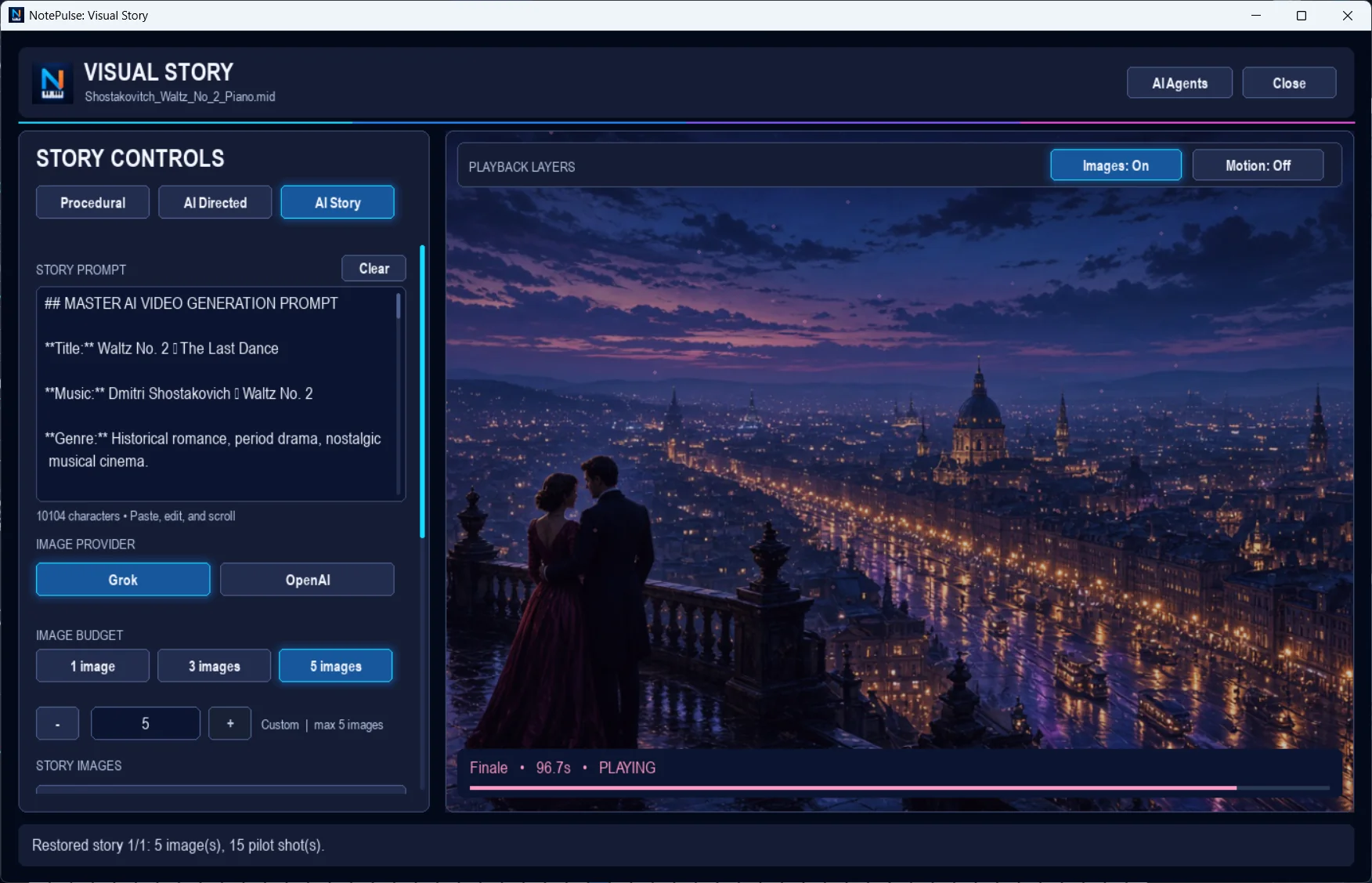
Creative control
From a melody to a scene.
Choose a storytelling mode, develop a visual prompt, and guide image generation with adjustable budgets and independent visual playback layers.
Procedural, AI Directed, and AI Story modes
Edit story prompts and guide scene creation
Choose supported image providers
Control image count and optional motion
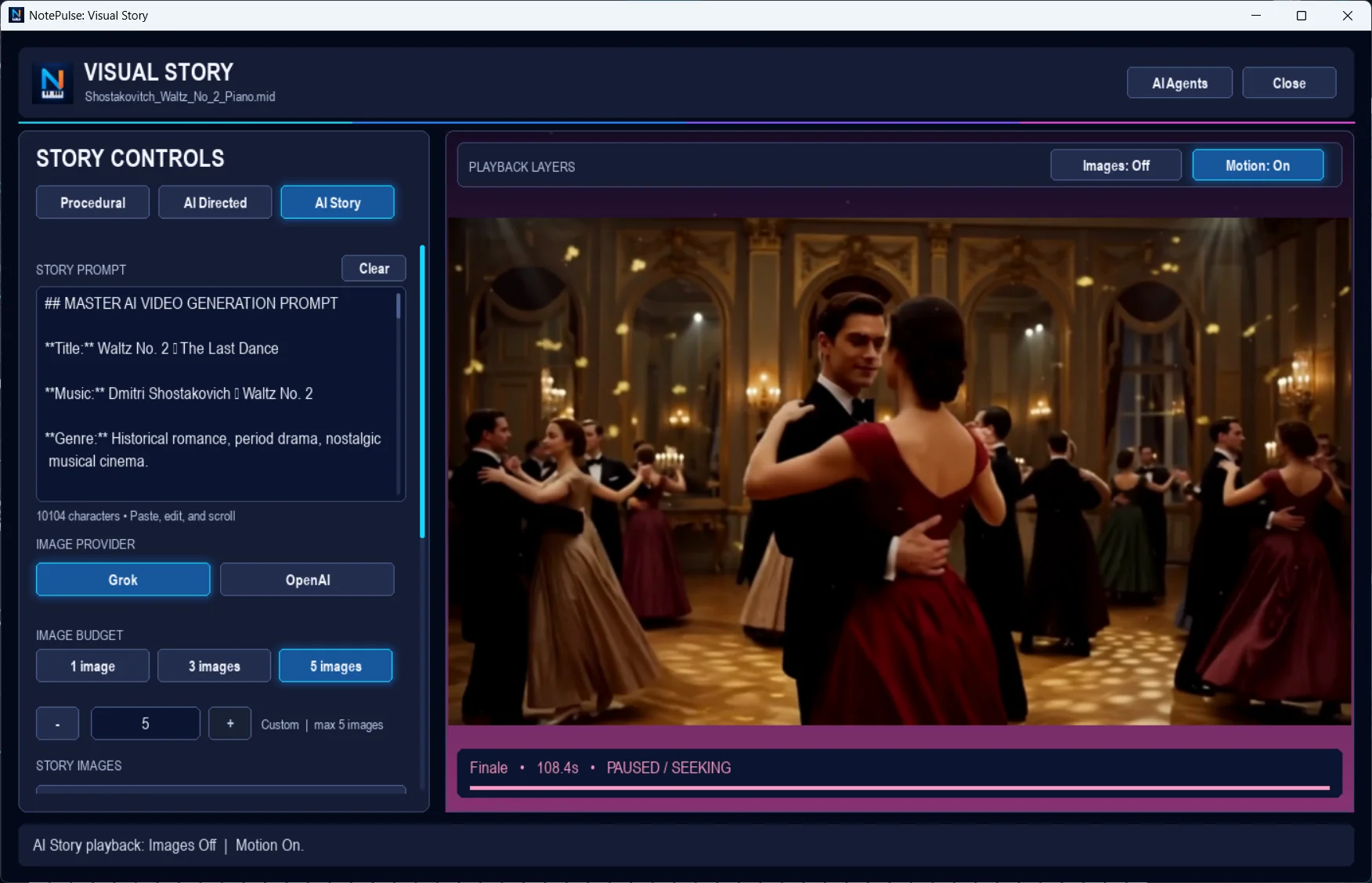
Toggle images and motion independently
Visual Story · still image playback · Authentic NotePulse desktop screenshot
Visual Story · motion playback · Authentic NotePulse desktop screenshot
Beyond a still image
Make the story move.
Visual Story separates still-image and motion layers so you can shape how a scene unfolds during a performance.
AI-assisted features use supported external providers such as OpenAI or Grok. You provide your own API credentials, and provider usage may incur separate charges.
Cost transparency AI provider charges are separate from the NotePulse Advanced subscription. Review provider usage costs before generation.
Actual application screenshots
Explore the Visual Story workspace.
Image playback layer · Click to enlargeMotion playback layer · Click to enlarge
Imagine more with Advanced.
Visual Story joins Sheet Music Manager as part of the optional NotePulse Advanced subscription.