How to visualize MIDI files on Windows and Mac.
Turn your MIDI songs into animated falling notes, a synchronized piano keyboard, and readable grand-staff notation. This practical guide uses actual NotePulse Desktop screenshots.
Windows 64-bit and Apple Silicon macOS. Mobile users can explore the Android and iOS apps instead.
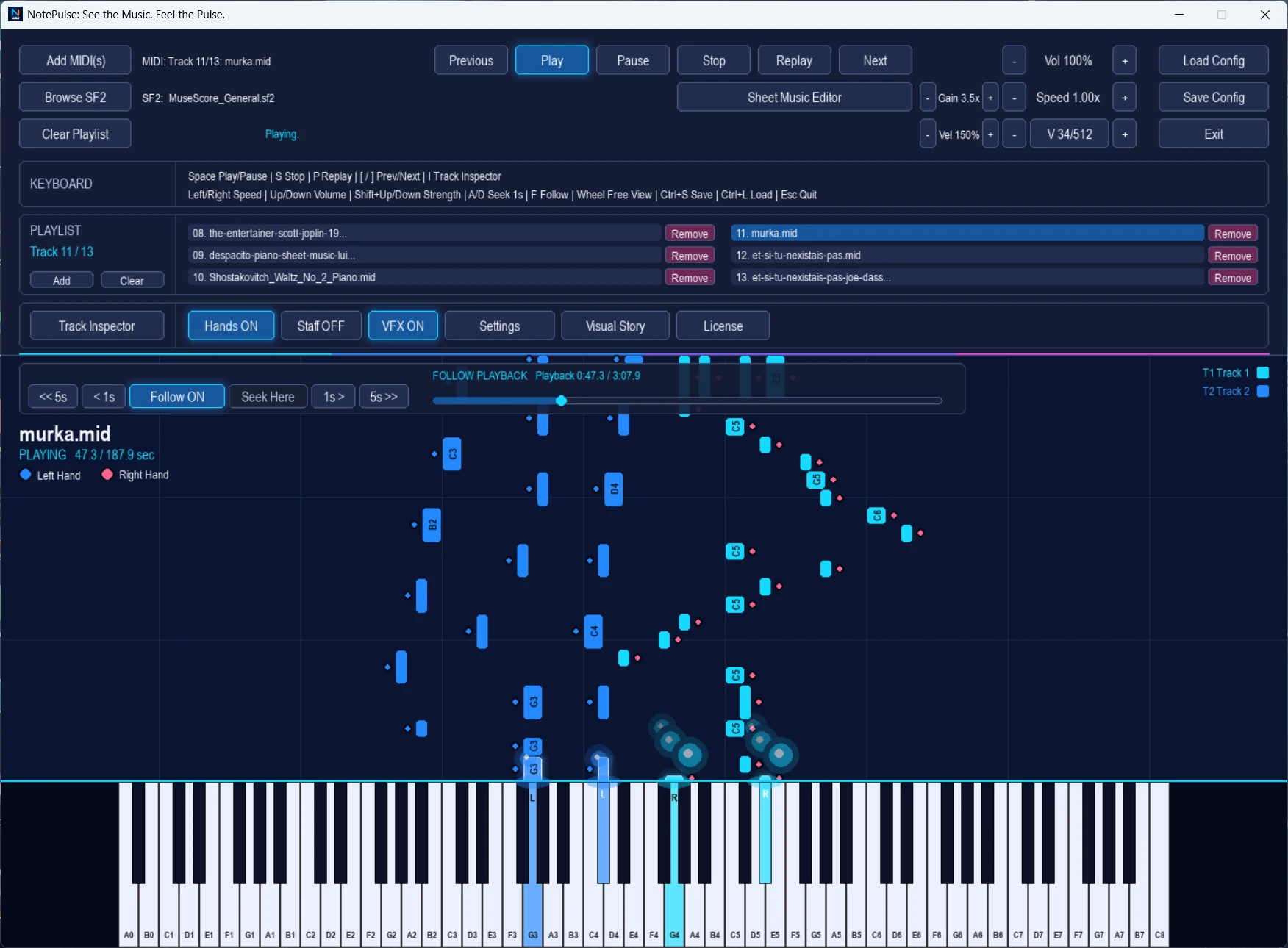 Actual NotePulse Desktop interface
See your first MIDI performance.
A MIDI file contains musical events rather than recorded sound. NotePulse interprets those events visually and plays them back through a compatible sound library.
Download and launch NotePulse Desktop.
Choose the Windows or macOS installer on the official download page. The seven-day Core + Advanced trial lets you explore both the visualizer and creative features before deciding whether to purchase.
Load a MIDI file.
Select Add MIDI(s) in the main application, choose a compatible MIDI file, and select it in the playlist. You can explore multiple tracks and navigate between songs.
Start playback and follow the falling notes.
Press Play to watch colored note bars approach the on-screen piano. Keys highlight as notes sound. Adjust the speed to study a difficult phrase, or move the playhead to a specific part of the performance.
Turn on the Live Grand Staff.
Enable Staff in the visualizer to follow synchronized treble and bass notation. Hand guidance and track colors help connect the score with what you hear and see on the keyboard.
Customize sound and tracks.
Use the Track Inspector to adjust enabled parts, instruments, and colors. You can load a compatible SF2 SoundFont if desired. NotePulse's audio and track controls let you tailor a performance to your needs.
Follow the notes. Read the score.
Switch between the visual rhythm of falling notes and the structure of written music without leaving the same desktop workflow.
The video below the MIDI Visualizer feature page demonstrates both modes with real application audio.
Watch the 40-second demo →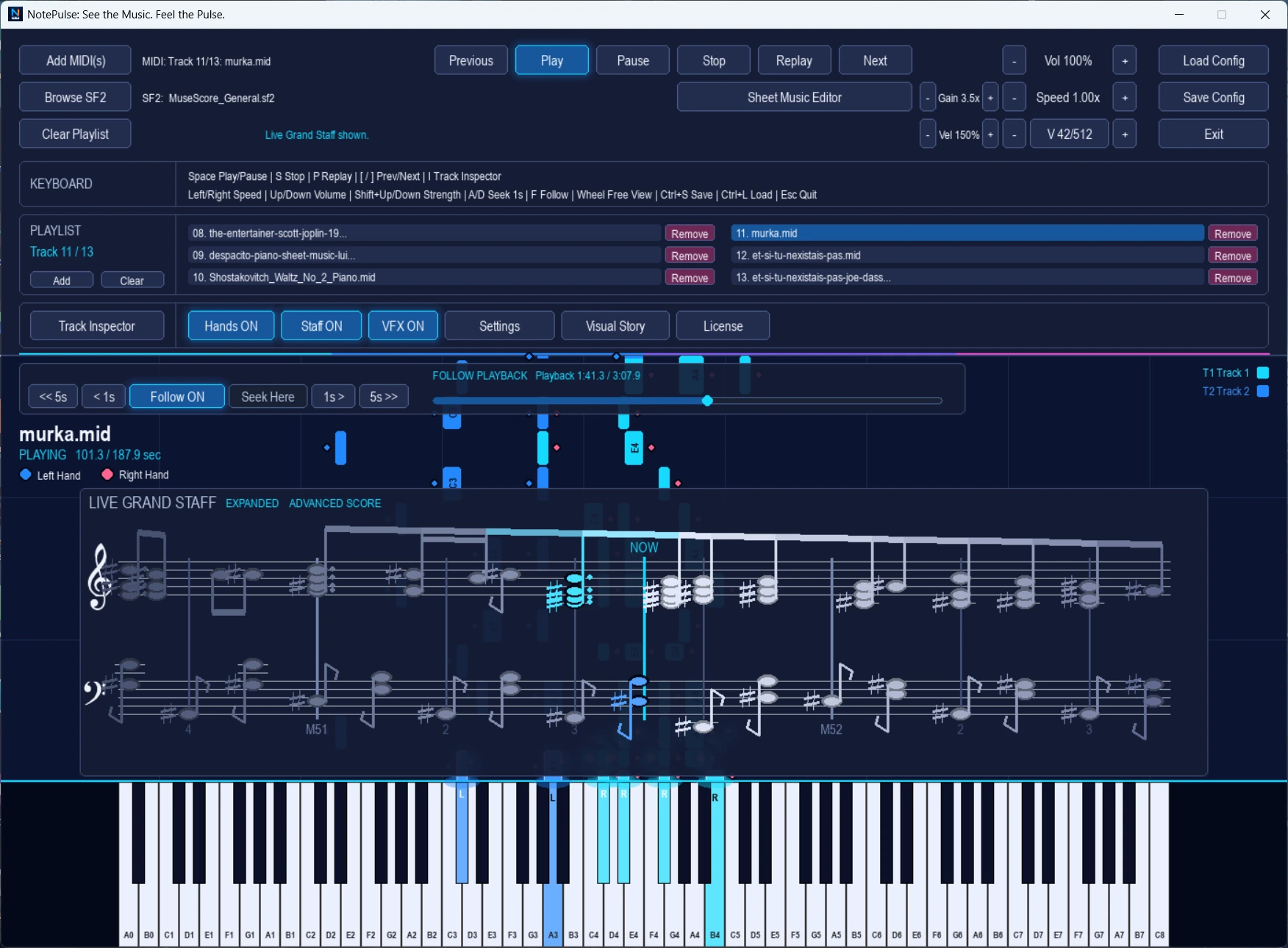 Actual Live Grand Staff screenshot
Common questions.
Can I visualize my own MIDI files?
Yes. Open compatible MIDI files from your computer and explore them in the NotePulse Desktop visualizer.
Does MIDI contain audio?
No. MIDI describes notes and playback instructions. Sound depends on the selected synthesis engine and SoundFont or other sound library.
Is NotePulse available for iPhone or Android?
Yes, the Mobile applications are available on the Google Play Store and Apple App Store. Mobile store purchases are separate from Desktop licensing.
What happens after the seven-day trial?
You can purchase NotePulse Core for $29.99 once, or Core + Advanced for $39.98 initially and $9.99/month for Advanced thereafter, before applicable taxes or discounts. See the official pricing page for current details.
Try it with your own MIDI.
Start your seven-day NotePulse Desktop trial, then decide which license suits your music.